Put the business landline on your mobile.
Receive business calls through the Oblyx mobile app. With an outbound calling service, make calls using your approved business number instead of your personal mobile number.
 Drag to rotate, or use the arrow keys. Press Space to pause or resume idle motion, or Escape to reset.
 MANAGED IT & CYBERSECURITY
Oblyx Voice for business
Customers need one number they can recognise and a clear way to reach someone. If the number depends on one person’s mobile, calls can go unanswered while that person is on a job or helping another customer. Decide who should answer first and what should happen when nobody is available.
With Oblyx Voice, the agreed setup can route a business number to compatible mobiles, desk phones or a team. Start with the number you want callers to use, the devices people have and who can cover calls when colleagues are away.
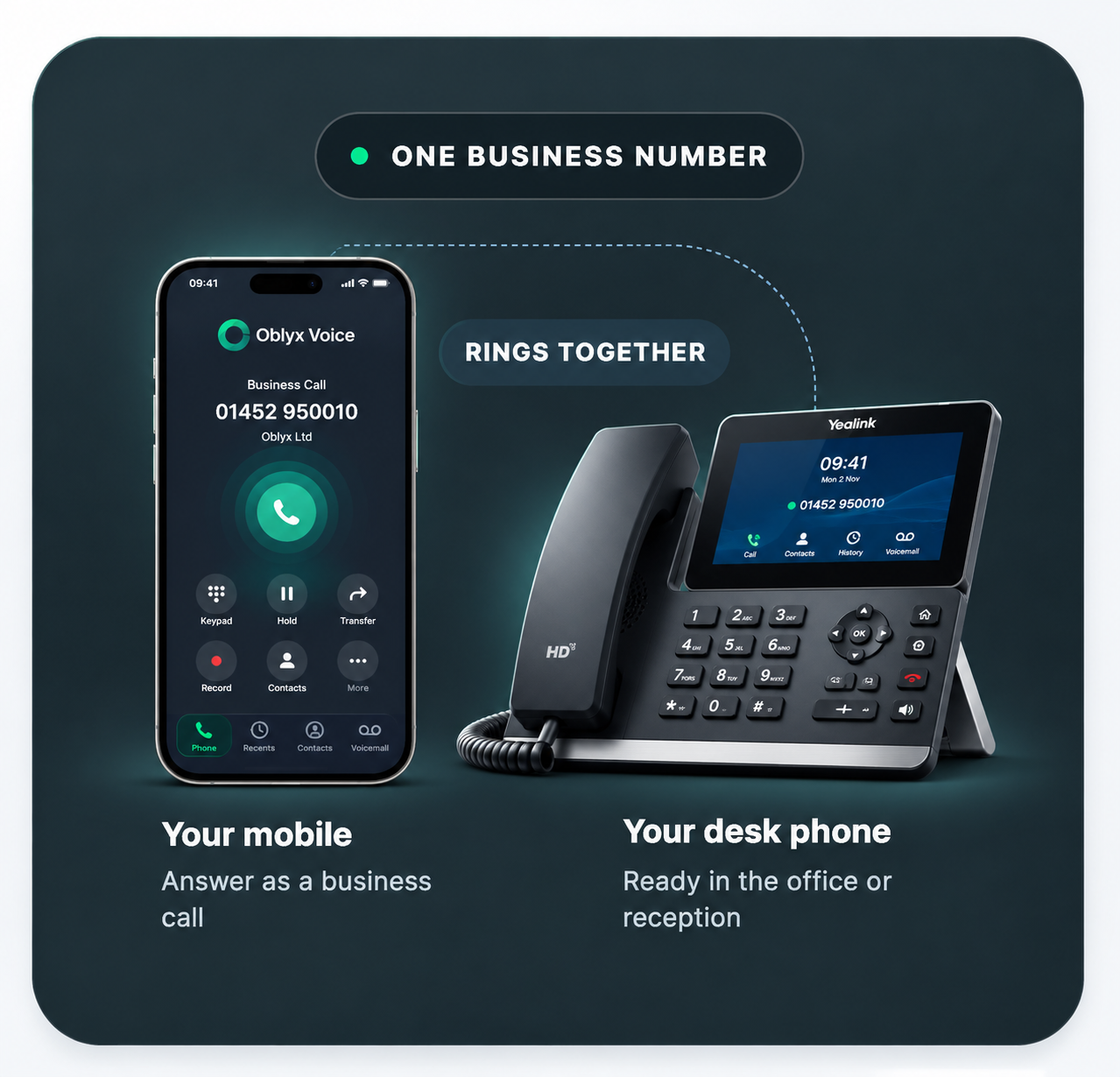
A phone system built around the team
Oblyx Voice brings the recognisable business number, the people answering it and the devices they use into one managed call journey.
Receive business calls through the Oblyx mobile app. With an outbound calling service, make calls using your approved business number instead of your personal mobile number.
Use a supported combination of enrolled mobiles and managed compatible desk phones. Answer on the device that suits the moment; the other ringing device stops when the call is taken.
Route important calls to a reception group, named team or agreed overflow path, with business hours and fallback behaviour defined around real cover.
Oblyx commissions managed compatible desk phones for desks, workshops, shared spaces and reception rather than forcing every user into one way of working.
Choose incoming calling or a service that also includes outgoing business calls. We agree the business number, permitted destinations and calling allowance with you before setup.
Call history distinguishes completed, missed and answered-on-another-device calls, so the team can see the outcome and return an important call without relying on memory.
SIMPLE TO SET UP. EASY TO MANAGE.
A calling setup should be tested as a caller experiences it. Try ringing when the team is busy, when the office is closed and when a device is unavailable. Agree what happens to unanswered calls and who checks for callbacks.
Internet-based calling depends on power, connectivity and supported equipment. Agree a fallback that staff know how to use. Check your service schedule for the calling and support arrangements that apply.
See the phone-system review processCustomer experience
“The website looks really promising and even though it has only been live a few weeks we are already receiving enquiries. We now use Oblyx Voice so we never miss an opportunity.”
Common questions
We can help you keep your existing business number where it can be transferred, or arrange a suitable new number. We'll confirm the details and agree how to make the change with as little disruption as possible.
Yes. We can set up compatible mobiles and desk phones to ring together, so you can answer on the device that suits you. We'll help you choose the right combination for your team and confirm what's included in your service.
Connected-call transfer is not supported in the Oblyx mobile app. We can set up incoming call routing and shared answering around your team, and agree the supported devices and call handling before you order.
Your business phone service
We help you choose your business number, compatible mobiles and desk phones, and how incoming calls reach your team. Your service agreement sets out the devices, calling options, charges and support included.
Choose the setup that suits your team